Corporate subsidiaries regularly transfer accounting files from their local IT systems to a central SAP system for consolidation. These are often text files containing payroll or travel expense balances from local HR solutions such as ADP, SuccessFactors, Loga, Peoplesoft, Sage, or DATEV. In many cases, this becomes a major stress factor for both business departments and IT. How can you solve this requirement in minutes without driving your integration team crazy?
A Concrete Example
Two subsidiaries of a logistics service provider face the same task. One needs to transfer its payroll balances, including accounting vouchers, in a ZIP file. The other needs to transfer both payroll and travel expense balances, but must rename the accounting files first because the source system cannot name them according to corporate standards—meaning a direct import would fail.
In principle, such tasks can be solved in several ways. Linux Bash scripts or Windows PowerShell scripts are a traditional approach; custom-developed Python or JavaScript programs are another. An enterprise architect might think of an Enterprise Service Bus; an HR employee would likely—and with dread—think of a manual solution using WinSCP or file-sharing tools like FileZilla.
All these approaches lack speed, simplicity, and, above all, easy maintainability with meaningful monitoring in the event of errors; numerous preparatory steps and IT systems are required before a transfer can even be considered.
Workato as a Low-Code Solution
Workato handles such tasks with ease, and at an enterprise level. Designed as a low-code integration and automation platform (iPaaS), a technically inclined user can set this up in just a few minutes.
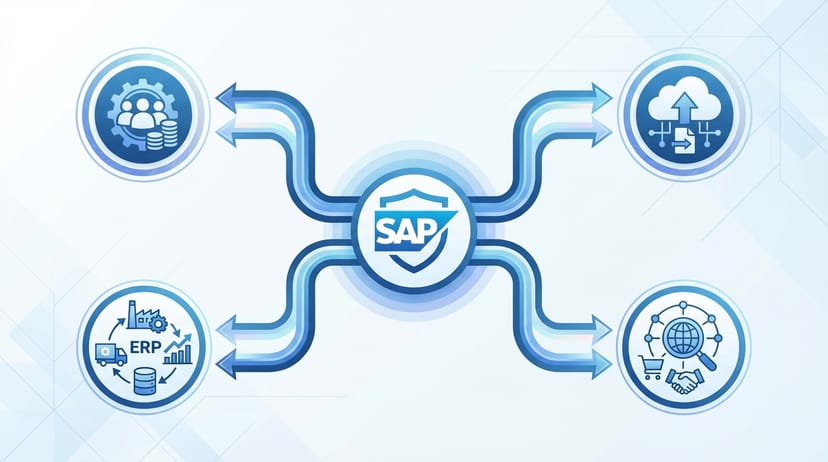
While Workato offers ready-made connectors to SAP in its "recipes"—as the integration processes are called—based on the "trigger-action" pattern, many companies cannot use these for security reasons. The transfer between two systems must therefore be decoupled (asynchronous).
In this case, it means a transfer between two SFTP gateways from which the SAP accounting files are to be retrieved or to which they are to be sent.
SFTP to SFTP Transfer
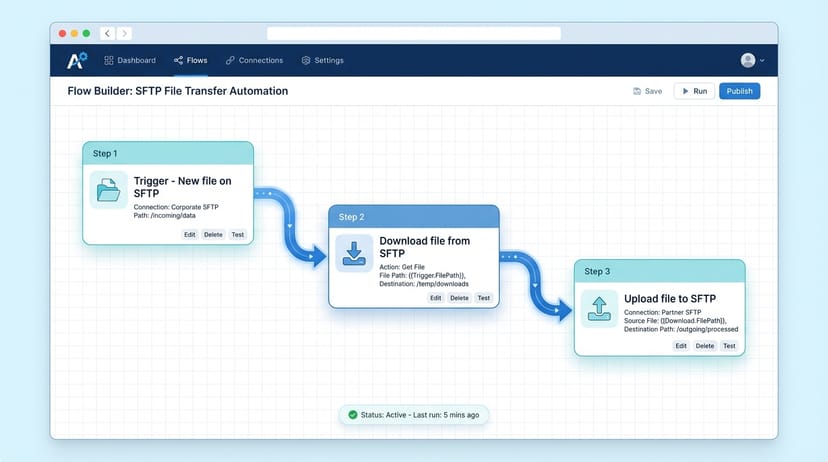
A recipe is a sequence of automation steps that you can "click together" yourself. It always starts with an initiating event, known as a trigger. In our case, this is the placement of a new SAP accounting file by the local HR system on a subsidiary's FTP server.
At our request, Workato checks every 5 minutes whether a new file has been placed there. If so, Workato downloads the file (SFTP download action) and immediately uploads it to the corporate file transfer gateway (SFTP upload action).
If the file needs to be renamed according to the corporate naming convention, this is handled directly during the upload. With the help of simple Ruby formulas, which are described in detail in the Workato documentation, this is a breeze.
Step-by-Step to a Simple and Reliable Solution
Done! Only three steps are required for the transfer to SAP. Nothing more. It fits perfectly on a single screenshot.
The best part is: I don't have to worry about the operation and further development of the infrastructure, connectors, or security. Workato handles this automatically as a Software-as-a-Service. My focus can remain entirely on the functional solution—without having to struggle with boilerplate code and the configuration of numerous subsystems.
Outlook: Monitoring and Self-Healing
In a future post, we will introduce the monitoring of recipes like the one above and self-healing in the event of errors using watchdog processes. While Workato offers powerful logging capabilities, including a dashboard and API for seamless integration into monitoring systems like Datadog or Splunk, we want to apply a few tricks to ensure you can sleep soundly even when problems arise.