Everyone wants them, but the path to getting there is often rocky: modern cloud-based ERP systems like SAP S/4HANA, SAP Business One, MS Dynamics 365 F&O, and Oracle NetSuite are intended to replace aging ERP systems. But how do you migrate from an outdated and complex system landscape into these modern cloud ERP environments? Here is one solution.
The Challenge with Legacy Systems
Whether it's AS/400 custom developments or proprietary MS SQL Server solutions using .NET Active Server Pages; whether it's stalwarts of corporate IT like Infor Baan or Lexoffice solutions that have been outgrown: the range of source systems is vast, and their technical state is often obsolete. There are no modern interfaces, no simple expansion options, and no self-explanatory database abstraction.
Given this starting point, how do you migrate your branches, sister plants, or corporate acquisitions into one or more modern cloud ERP systems—and do so with low risk and without operational downtime?
Incremental or Big Bang?
First, you must decide whether the transition from Baan to MS Dynamics 365 F&O should happen all at once (Big Bang) or in several steps (incremental). This decision determines whether a one-time (automated) data migration is sufficient or if a permanent data exchange must be established between MS Dynamics and Baan.
In the first case, automation is implemented from Baan (legacy system) to MS Dynamics (new system) so that all orders, including master data, flow into the new system once. The legacy system can then be decommissioned.
In the second case, bilateral automation is implemented so that orders can be transferred both from Baan to MS Dynamics and from MS Dynamics to Baan. The automation must handle numerous exceptions, scale effectively, and remain stable.
As a rule, companies opt for the second approach to migrate branches or plants into the new environment one by one. The transition risks are lower, and the migration process can be continuously improved.
The Crux of Data Formats
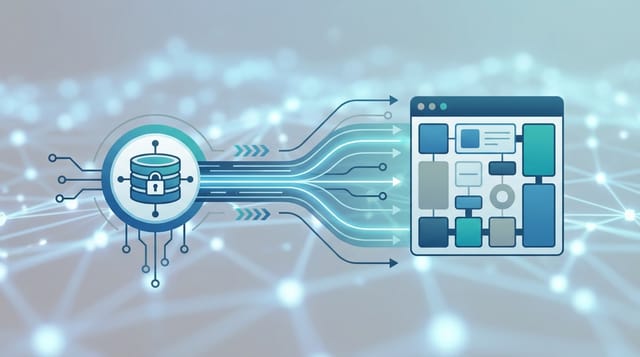
In both scenarios, we are confronted with incompatible data formats. Baan can only communicate with the outside world via EDIfact, while MS Dynamics 365 F&O prefers RESTful or SOAP services. Here, we must act as a "linguistic mediator."
For example, as soon as a purchase order is created and approved in MS Dynamics, it becomes available via API for third-party systems. We then retrieve the purchase order via the MS Dynamics 365 OData interface and convert it into the EDIfact D95B ORDERS format.
While the field structure of the EDIfact ORDERS format generally contains the same data as the JSON-formatted source file from MS Dynamics, the structure differs. Therefore, the decisive factor is the correct mapping of source fields to target fields.
Expertise is Key
All of this may sound laborious—but it doesn't have to be. What is required is competence in diverse data formats, creativity in eliminating perceived system incompatibilities, and the smart selection of tools.
Since the companies of the future will likely rely on modular, combinable systems (Composable Enterprise)—meaning they use Salesforce, Oracle, Microsoft, IBM, ServiceNow, Hubspot, Freshdesk, DATEV, SAP, etc., in various functional combinations simultaneously—a prudent and effective integration strategy is essential.