Automating Accounting
Automating accounting with AI: Save time, reduce errors, and simplify financial processes through intelligent automation.
For many freelancers and small businesses, accounting is one of the most unpopular daily tasks. It is necessary, but rarely inspiring. It demands precision, consumes time, and drains energy that is better spent elsewhere—such as acquiring new customers or focusing on core operations. Smart software solutions provide comprehensive support for virtually every accounting process, making paperless accounting a reality. It is no wonder, then, that more and more companies are asking how they can automate their accounting to reduce routine work, avoid errors, and simplify their financial processes.
Saving time and reducing errors through automated accounting
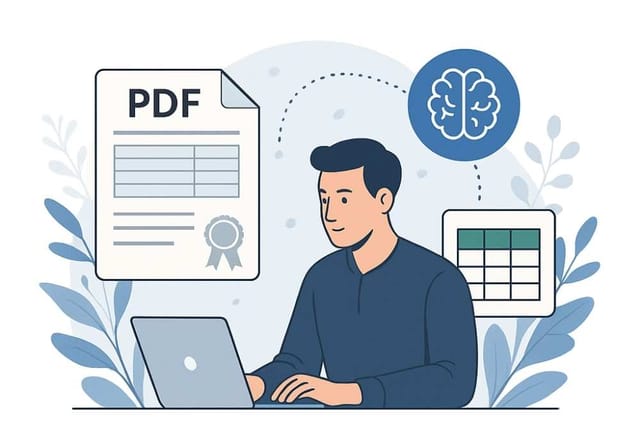
What sounded like a vision of the future just a few years ago is now a reality: AI-based systems are taking over an increasing portion of preparatory accounting. They read receipts, extract relevant information, post transactions, and provide a structure that makes work easier for tax advisors and noticeably relieves the burden on companies. The integration of interfaces with existing systems and simple DATEV exports ensure that data analysis and invoice management are efficient and compliant with GoBD standards.
Automation does not mean that traditional accounting disappears entirely. Instead, it creates a process designed so that humans only need to intervene where it makes sense—everywhere else, a system takes over that learns from repetition, becomes more reliable over time, and allows accounting processes to run as smoothly as possible in the background.
Why it makes sense to automate accounting
Those who want to automate their accounting often have a very practical goal: more time for their core business. While new demands arise daily for freelancers, the accounting department is constantly filling up with new receipts, payments, and administrative tasks in the background. Automating these processes creates enormous advantages: automated systems make it possible to map all business transactions, receipt management, and financial administration with full transparency and control at all times.
Today, digital accounting means:
- Automatic receipt capture from emails and cloud storage
- Intelligent matching of receipts to bank transactions
- Instant detection of missing documents
- DATEV-compliant export for tax consulting
- GoBD-compliant archiving of all documents
The path to automated accounting
Step 1: Analyze existing processes
Before you automate your accounting, you should first understand where the biggest time-wasters are. Typical candidates include:
- Manual receipt entry and sorting
- Reconciling invoices with bank statements
- Creating evaluations and reports
- Preparing documents for the tax advisor
Step 2: Choose the right tools
Modern accounting solutions like DonnaTax combine several automation functions:
- AI-supported receipt capture automatically recognizes relevant information
- Bank integration imports transactions directly
- Intelligent matching links receipts with payments
- DATEV interface enables seamless collaboration with tax advisors
Step 3: Step-by-step implementation
Successful automation does not happen overnight. Start with the processes that cost the most time and are easiest to automate—typically receipt capture and matching.
Benefits of automated accounting
Time savings
The greatest savings come from reducing manual activities. Instead of recording and matching receipts individually, the system handles these tasks automatically.
Error reduction
Automated systems do not make careless mistakes. Figures are transferred correctly, receipts are assigned accurately, and discrepancies are detected immediately.
Better overview
With automated accounting, you have an up-to-date overview of your finances at all times—not just after the monthly closing.
Easier collaboration
Seamless integration with DATEV and other systems significantly simplifies collaboration with tax advisors.
Automated accounting with DonnaTax
DonnaTax does not replace tax advice; rather, it improves the preparatory steps—demonstrating how effectively automation can be used without blurring lines of responsibility.
With DonnaTax, you can automate the time-consuming routine tasks of your accounting:
- Automatic receipt capture from Gmail, Outlook, Google Drive, and OneDrive
- AI-supported matching to bank transactions
- Transparency over all tax-relevant documents
- DATEV-compliant export with no extra effort
Conclusion
Automating accounting is no longer a vision of the future; it is a reality available today. Those who want to gain time for their core business, reduce errors, and maintain an overview at all times will find a reliable partner in modern AI-supported solutions.
The key lies in the right balance: automation where it handles routine work—human judgment where experience and context are required.