For those in a hurry
- Step-by-step to automation: How even small automation solutions can relieve your daily workload and increase your productivity.
- Practical tools for everyday life: Applications and desktop programs for end users—automation options with little to no programming knowledge required!
- RPA and AI as game changers: Discover how Robotic Process Automation (RPA) takes over recurring tasks and becomes even more effective when combined with artificial intelligence (AI).
- Practical tips: Examples from various industries show how automation makes you more efficient and competitive.
Automation is not rocket science. It helps reduce errors, save time, and use resources more efficiently. However, for many companies, the term seems intimidating—too technical, too complicated, too expensive. Yet, getting started is often surprisingly straightforward! In this article, you will learn how to start with simple automation solutions and what other possibilities are available to you.
What are automation solutions?
Automation solutions are technological approaches that efficiently execute recurring tasks and processes without manual intervention. They use software, robots, or artificial intelligence (AI) to perform workflows without human input, minimizing errors and saving time and money. From simple macros to complex robotics or AI agents, automation solutions are used in almost every industry—such as manufacturing, logistics, IT, or customer service. The goal is to increase productivity, utilize resources better, and free up employees for strategic activities.
Benefits of automation solutions
Imagine your daily work being made easier by tasks like these:
- Scheduling appointments without back-and-forth emails.
- Automatically sorting and evaluating data from Excel spreadsheets.
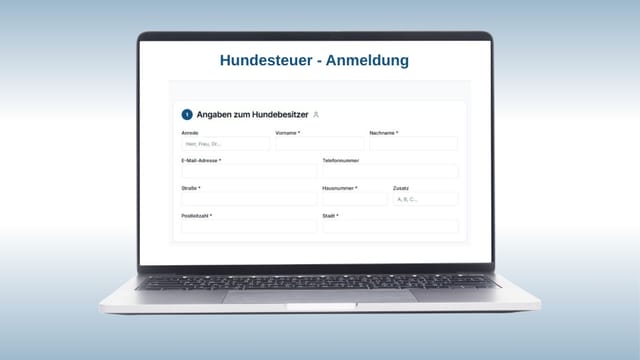
- Automatically filling out forms or transferring data from one system to another.
Automation means that such repetitive and time-consuming tasks are handled by programs. This allows you and your employees to focus on what really matters: creative and strategic work.
Automation solutions: Tools for end users
Ready-made automation tools allow end users an easy entry into the world of automation, without any technical background. They simplify everyday tasks and increase efficiency by moving various processes into the background and optimizing them.
Calendly: Automates appointment scheduling by comparing availability and suggesting suitable time slots.
DeepL & DeepL Write: While DeepL enables high-quality translations in various languages, DeepL Write helps optimize texts linguistically and grammatically. Both tools use algorithms to translate or stylistically refine texts.
QuickBooks: Automates accounting tasks such as recording and sorting receipts as well as generating financial reports.
Automation on your computer – Scripts and macros
If you want to take the next step, you can use automation options already integrated into your computer. Automating tasks using software like Power Automate (Windows) or Automator (Apple) can help you make recurring workflows more efficient and save time.
- Creating macros: For example, automate data processing by creating a macro that automatically merges, sorts, or formats tables.
- Using scripts: With scripts, you can program more complex sequences, such as renaming files, automating system processes, or performing repetitive tasks within applications.
- Simplifying recurring workflows: You can set programs to start automatically at specific times, organize files, or execute certain data processing tasks without manual intervention.
For the effective use of these options, basic knowledge is helpful:
- Programming basics: An understanding of concepts like variables, loops, and conditions.
- Knowledge of the applications used: You should familiarize yourself with the functions of the software you want to automate.
- Logical thinking: The ability to analyze workflows and break them down into structured steps is essential.
Robotic Process Automation (RPA) – The office assistant on steroids
RPA is a type of automation where programs mimic user input. They can simulate clicks, read data from forms, or copy information from a website.
"RPA is particularly effective in combination with generative AI solutions to process unpredictable data structures and create flexible workflows."
Inspiration for what RPA can achieve:
- Inventory management: RPA monitors stock levels in real-time and automatically generates reorders when stock limits are reached.
- Leave management: An RPA system manages employee leave requests, checks availability, and updates the calendar automatically.
- Customer feedback analysis: RPA tools collect customer feedback from surveys and reviews and create summaries for quality control.
- Contract management: RPA automatically extracts important data from contracts and updates the corresponding systems with deadlines and conditions.
Practical example of a client project:
As part of a project for one of our clients, we developed and implemented an RPA tool that handles the daily download of price lists from a website, formats them according to the list requirements, and automatically sends them to the sales team. This solution significantly reduced manual effort and saved the client valuable working hours. RPA is primarily used when the applications to be automated do not have an interface (API), e.g., websites, legacy IBM i (AS/400) programs, or proprietary database applications.
Automation solutions via APIs and process platforms
If you want to connect different software solutions, API-based tools (Application Programming Interface) come into play. Platforms like Zapier, Make, or Workato allow you to create workflows that let programs "talk" to each other.
Practical example:
A company portal uses a web shop for employee orders. The following processes can be automated:
- An order is received.
- The employee's order data is automatically transmitted to the CRM system.
- Simultaneously, a delivery note is created in the ERP system.
- The employee receives an order and shipping confirmation.
Such automations not only save time but also prevent errors that could occur during manual entry. API-based automations are "state-of-the-art" technologies that offer high reliability and can be implemented quickly thanks to standard connectors to a multitude of applications (SAP, Salesforce, Service Now, Microsoft Dynamics, etc.).
AI in the use of automation solutions
Artificial intelligence (AI) is revolutionizing automation by not only taking over repetitive tasks but also analyzing complex processes and processing heterogeneous data. Unlike classic automation tools, AI is capable of learning from data and adapting to new conditions.
Practical examples:
- IT support: Chatbots handle simple support requests, such as resetting passwords or suggesting fixes for error messages, thus relieving the helpdesk.
- Logistics: AI-supported systems optimize supply chains by analyzing delivery routes and calculating the best shipping path in real-time.
- Data analysis: AI can automatically evaluate large amounts of data, identify trends, and create reports—for example, for marketing campaigns or financial analyses.
AI expands the possibilities of automation and enables companies and individuals to work smarter and more efficiently.
Consulting for automation solutions
With customized automation solutions ranging from Robotic Process Automation (RPA) and API integrations to AI agents, Business Automatica is the ideal partner for companies of all sizes. Our services are characterized by:
- Customer-specific consulting: Tailored to your specific requirements. We first check which solution is the most cost-effective and highest quality for you.
- Future-proof technologies: Integration of Big Data and AI. We act independently of manufacturers, ensuring you always benefit from the best technology.
- Successful projects: From document processing to end-to-end processes. We manage projects comprehensively, including requirements documentation, project management, and follow-up support.