For readers in a hurry
- Efficient conversion: Learn how to convert your Excel data into legally compliant e-invoices such as XRechnung and ZUGFeRD.
- Time and cost savings: We show you how automating your invoicing processes minimizes manual data entry and frees up valuable resources.
- Guaranteed legal compliance: Ensure your e-invoices meet all statutory requirements and are GDPR-compliant.
- Seamless integration: Discover how our cloud solution fits effortlessly into your existing IT infrastructure and optimizes your workflows.
Do you currently organize your invoice data in Excel, send it to your customers as Excel or CSV files, and want to convert it into legally compliant e-invoices? The process can be complicated, especially when formal requirements like XRechnung or ZUGFeRD must be met. But don't worry: with our cloud-based service, you can easily upload your Excel data and generate professional, legally compliant e-invoices with just a few clicks. Put an end to time-consuming manual entry and technical complexity – we will show you how to save time and effort while automating the entire process.
Starting point: Optimizing your Excel data preparation
In practice, many companies store their invoice data in Excel spreadsheets or CSV files. For the conversion into an e-invoice to run smoothly, the files should be well-structured and contain all necessary information – especially the data required by law under Section 14 of the German Value Added Tax Act (UStG):
- Basic invoice information (date, invoice number, etc.)
- Customer and item data
- Quantity and price details
- Tax information
- Specific product data (e.g., batch information for pharmaceuticals)
- Accounting and supplier information
Tip: Use pre-formatted templates to ensure consistent data structures. This saves you time and minimizes errors.
The solution: Automated e-invoice generation
With our system, Excel or CSV files are automatically converted into e-invoices – simply, quickly, and securely. The following steps are performed:
Step 1: Data transfer
Your invoice data is transferred to our system. This can be done in the following ways:
- Via email: You send your Excel file to a designated, secure address where it is automatically detected.
- Automated: Via a file server or an API interface.
- Directly from your existing billing or ERP system.
Step 2: Automated processing
Once the data is transferred, our cloud system takes over the rest of the work:
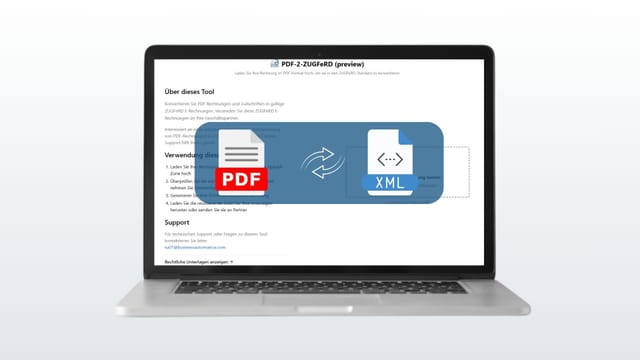
- Your data is analyzed and converted into the XRechnung or ZUGFeRD format. The system automatically detects the number of items belonging to a specific invoice number.
- Example: Your file contains multiple invoice numbers with one or more items or item details – our system identifies these, maps them correctly, and creates a separate e-invoice in the desired format for each invoice number.
- Other relevant information (such as batch details for consumer goods, pharmaceuticals, or food) can be added upon request so that it is correctly reflected in the final e-invoice.
Step 3: Validation and output
After an automatic validation, our system exports the invoices into your preferred format:
- PDF with an integrated XML dataset: Perfect for ZUGFeRD.
- XML: For machine-readable formats, as required by XRechnung.
All data is stored in compliance with GDPR and transmitted directly to the recipient.
Automated e-invoice transmission to your customers
Generating an XRechnung or ZUGFeRD file is only half the job — the invoice still has to reach the buyer's accounts-payable system in a format their software can read. Manual emailing of attachments is error-prone, leaves no audit trail, and quickly becomes a bottleneck once you process more than a handful of invoices per day. Our cloud platform automates the dispatch end-to-end, so each invoice is transmitted the moment it is validated.
The system supports the four transmission channels that B2B and public-sector buyers in the DACH region actually use:
- Peppol BIS Billing 3.0: Direct, machine-readable transmission via the Peppol network — mandatory for invoicing many EU public-sector authorities. Each invoice is signed, addressed via the buyer's Peppol participant ID, and routed through certified Access Points.
- Email with structured attachment: ZUGFeRD PDF/A-3 (with the embedded XML payload) sent to the buyer's invoicing inbox. Most ERP systems automatically extract the XML on receipt.
- SFTP / file server drop: Push the XRechnung XML onto a buyer-provided endpoint. Useful for high-volume EDI-style relationships where the buyer prefers polling.
- Direct ERP-to-ERP integration via API: REST or AS4 push from our system into the buyer's ERP. Gives the lowest latency and the cleanest audit trail.
Every transmission attempt is logged with a timestamp, channel, recipient ID, and delivery status. Failed deliveries (rejected by Peppol, bounced email, SFTP timeout) are automatically retried and surface in your dashboard so a human can intervene. This is the part of the workflow that turns "we generate e-invoices" into "we have ended manual invoice dispatch" — and it is what the §14 UStG and the 2025 e-invoicing mandate effectively expect of any compliant solution.
Advantages & strengths of our solution
Why is it worth automating your invoicing processes? Our cloud solution enables the seamless integration of digital invoice processing into your existing IT infrastructure. Master data is stored in a separate data repository using web services, while scanned and approved documents are transferred directly to the ERP system. All processes are monitored, and you are notified immediately in the event of errors or irregularities.
Automation: No more manual corrections; you save time and avoid errors.
Flexibility: The solution works with email, data exchange servers, APIs, or direct connection options.
Regulatory compliance: Guaranteed adherence to standards such as XRechnung and ZUGFeRD.
Quality assurance: Full validation of e-invoice formats after generation ensures that invoices can be processed without issues.
Transparency: Every processing step is logged, from the upload of your data to the dispatch of the invoice.
Common use cases
Our solution is particularly suitable for:
- Companies with proprietary ERP systems that cannot generate e-invoices automatically.
- Industries with specific requirements (e.g., pharmaceutical companies that require additional batch information).
- Businesses without sufficient resources for manual invoice creation or adaptation to national regulations.
Conclusion: Invoice creation made easy
Whether your focus is on saving time, minimizing errors, or future-proofing your business, our solution helps you optimize your invoicing processes and adapt them to the requirements of digital invoicing standards. Automate your processes and benefit from simple, efficient, and legally compliant invoice generation directly from your Excel data.