Processes & SecurityPDFLow-Code

Automated PDF Document Processing

We show how to automate OCR processes with maximum accuracy so that employees can focus on more demanding tasks.

September 4, 2023
2 min read
Featured image for article: Automated PDF Document Processing

Automatically capturing and processing PDF orders, invoices, delivery notes, or packing slips without errors increases productivity and reduces costs. After all, who wants to manually type mass data into their ERP, WMS, TMS, or OMS? We show how to automate OCR processes with maximum accuracy so that employees can focus on more demanding tasks.

The Challenge

Millions of PDF documents, TIFF files, and other image formats are exchanged between companies every day, and the majority are processed manually. The structure, format, and content are often too varied for traditional OCR technology to recognize and process the text without errors—or so the common belief goes.

90% accuracy sounds good, but it is usually not enough

What is the point of 90% accuracy if humans still have to manually check, correct, or even re-enter 50% of the PDFs in their entirety?

Instinctive Solutions Fail

Once the danger is identified, one might think the right software will fix it. Or better yet: force PDF senders to only send highly standardized documents that match the capabilities of your OCR software. Unfortunately, both approaches are doomed to fail.

Artificial intelligence and standardization alone do not solve the problem

Intelligent Processing Instead of Simple Extraction

Automation requires much more than just information recognition. Data such as item numbers, contracting parties, line items, or prices must not only be extracted from the PDF documents but also processed further before being imported into the target system:

  • Time formats must be converted
  • Prices, quantities, or discount campaigns must be calculated or validated
  • Addresses or reference numbers must be validated and supplemented
  • Multiple orders must be consolidated into a single data record

PDF data can be automatically enriched and improved as needed

Successful Automation Involves Several Steps

  1. Selecting the software that fits the specific use case
  2. Mastering the selected software in detail and being able to creatively solve edge cases
  3. Always keeping the entire process in mind during automation
  4. Thinking about secure operation as early as the implementation phase
  5. Not losing sight of ongoing development

Success breeds success

Interested in our solutions?

Contact us for a free initial consultation.

Get in Touch

Related articles

Pillar article
Featured image for article: Process Automation: The Pragmatic ApproachRecommended
Processes & SecurityLow-CodeERP

Process Automation: The Pragmatic Approach

Process automation doesn't have to be complicated. Learn how to achieve big results with small steps.

June 20, 2024
3 min read
Business Automatica Team
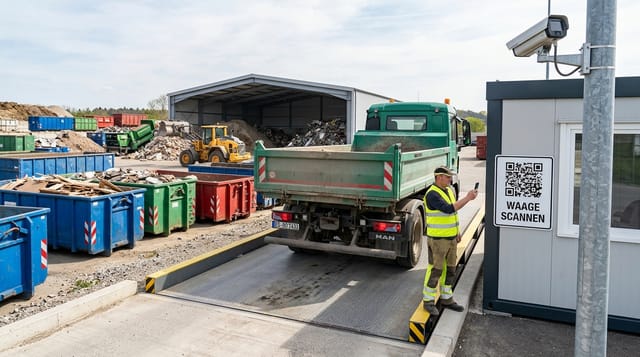
Photorealistic image of a truck scale at a recycling center. A driver in a high-visibility vest stands next to his tipper truck and scans a weatherproof QR code on a sign at the scale house with his smartphone. In the background, roll-off containers, an excavator, and piles of material are visible; above them, a clear sky and a license plate recognition camera on a mast.

Container Services: Fully Digital Weighing Processes

Paper slips, phone calls, and WhatsApp photos slow down the weighbridge. A QR-based web app connects drivers, the yard, and the ERP in a single process.

April 17, 2026
10 min read
Business Automatica Team
Laptop with accounting software and digital icons for automation and digitization
Processes & SecurityDATEVPDF

Automating Accounting

Automating accounting with AI: Save time, reduce errors, and simplify financial processes through intelligent automation.

November 23, 2025
4 min read
Business Automatica Team
Digitalization of invoicing processes and E-Government symbolic image
Processes & SecurityLow-CodeCloud

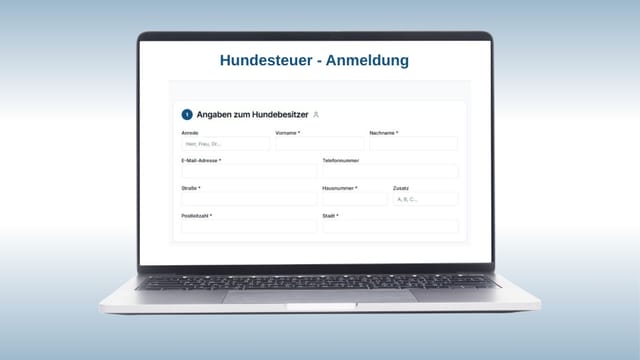
Digital Dog Tax Registration

Digital dog tax registration as a transferable model for modern, efficient municipal administrative processes.

July 19, 2025
2 min read
Business Automatica Team
Illustration of a man at a laptop with icons for PDF, AI, and spreadsheets – automated PDF processing
Processes & SecurityPDFLow-Code

Automated Extraction of Certificate Data

AI-supported extraction of technical data from PDF certificates – precise, fast, and seamlessly integrated into your ERP systems.

June 2, 2025
4 min read
Business Automatica Team
Automation solutions for increased productivity in the company
Processes & SecurityLow-CodeERP

Automation Solutions - Simple Paths to Increased Productivity

Automation is not rocket science. With the right strategy, companies can save time, avoid errors, and create space for strategic tasks.

December 17, 2024
6 min read
Business Automatica Team